
UK campus VPN
UK no longer uses CiscoVPN. The new solution works with Two-Factor Authentication for better security.
To access UK's VPN on a Mac or Windows computer please follow these steps:
- Login to myUK.uky.edu with your LinkBlue username and password.
- Search for "VPN"
- Click "My Access" and click on "Employee VPN Access"
- You may need to provide a justification for VPN access.
UK ITS has requested no specific information to be posted about the VPN system for security reasons. For more information, or for troubleshooting please call 859-218-HELP (4357).
KYTC VPN
Some folks may have the need to connect to Frankfort for various research reasons. In March of 2019, KYTC went to a more secure client. If you use the old VPN Client (Avaya) or the old URL (https://kytc.vpn.ky.gov), you will want to switch.
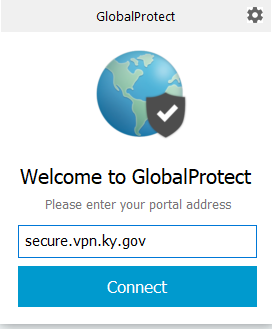
The new VPN client is called GlobalProtect. It can be downloaded by visiting https://secure.vpn.ky.gov
Once you install the VPN, specify "secure.vpn.ky.gov" then login with your KYTC credentials in domain\username format.
VPN access does require an account to be established through COT. You may need to work with a contact at KYTC to sponsor an account for you. COT charges monthly for access and KYTC regularly closes inactive accounts, so please make sure to log in to VPN at least once every 30 days or your account may be closed due to inactivity.